 ISO 9001
Quality
Understand your processes, listen to customers and follow up supplier performance.
- Processes & objectives
- Customer feedback
- Supplier reviews
- Risk Management
 IMS South Africa
Management systems & the IMS Pulse platform
IMS SOUTH AFRICA · MANAGEMENT SYSTEMS
Quality. Safety. Environment.
The expertise and software to move your business forward.
From the factory floor to the field, we help you build practical management systems, prepare for certification and keep the work moving.
30-day platform trial · No card required to start
 MEET YOUR DIGITAL WORKSPACEIMS PulseFour apps. One connected platform. Built-in AI.
Management systems, auditing and specialist support
IMS South Africa is the company. IMS Pulse is our platform. Together, they connect specialist knowledge with the tools to put it into practice.
IMS South Africa provides management-system support for quality, occupational health and safety, and environmental standards. We help companies turn requirements into procedures, responsibilities, records and improvements that fit their operations.
Our auditors help teams examine their processes and evidence, identify gaps and follow up on corrective actions. Our security experts bring a specialist perspective to organisational risk and security needs. We help prepare your system for assessment; independent certification bodies make certification decisions.
IMS Pulse is offered under IMS South Africa. The platform offers separate Quality, Health & Safety, Environment and Agriculture apps, supported by shared document, audit and corrective-action tools.
Where we work
We work across manufacturing, mining, weather, agriculture and consulting engineering. The setting changes; the need for clear responsibilities, reliable records and well-managed risk remains.
Read about the standards: ISO 9001 · Quality · ISO 45001 · Health & safety · ISO 14001 · Environment. These summaries introduce the standards; services are scoped to your organisation.
02 / YOUR DIGITAL TOOLKIT
IMS Pulse gives each part of your business its own tools. Choose one app or connect several, with documents, audits and corrective actions close at hand.
ISO 9001Understand your processes, listen to customers and follow up supplier performance.
ISO 45001
Identify hazards, involve workers and investigate incidents before they happen again.
 ISO 14001
Record environmental impacts, evaluate obligations and measure resource use.
 ISO 22000
Keep food safety checks, site records, audit evidence and corrective actions together.
Each app has its own Basic, Professional or Enterprise subscription, permissions and allowances. Service imagery is illustrative.
IMS PULSE AUTO / BUILT-IN ARTIFICIAL INTELLIGENCE
IMS Pulse Auto is the AI assistant built into IMS Pulse. Ask questions about your permitted workspace records and saved documents, get answers with linked sources, and use AI to prepare new records and documents for your review. All in the same platform your team uses every day.
What needs our attention this week?
Summarise audit activity, identify overdue actions and find the saved procedures your team needs.
Illustrative workflow, not a live answer or customer result.
Search saved Word, Excel, PDF and other supported file content. Ask for a summary or a specific detail, with links back to the source and saved revision.
Ask about audit activity, corrective actions, scheduled checks, sites and the registers available in your app. Get a source-based view of what needs attention.
Prepare supported register entries, audit observations, Word documents, Excel workbooks and PDFs. Inspect the full preview before you confirm and save. New documents start as private, unapproved drafts.
Available on web and mobile with a connection. Your access rights and document exclusions apply; workspace administrators control whether AI processing is enabled.
What you can do in the application
Find the right document, see who is doing the work and keep a record of what happened.
A CLOSER LOOK AT IMS PULSE
A clear workspace for the people doing the work, the managers following up and the teams preparing evidence.
See app registers, reviews and work that needs attention in your workspace overview.
Start your workspace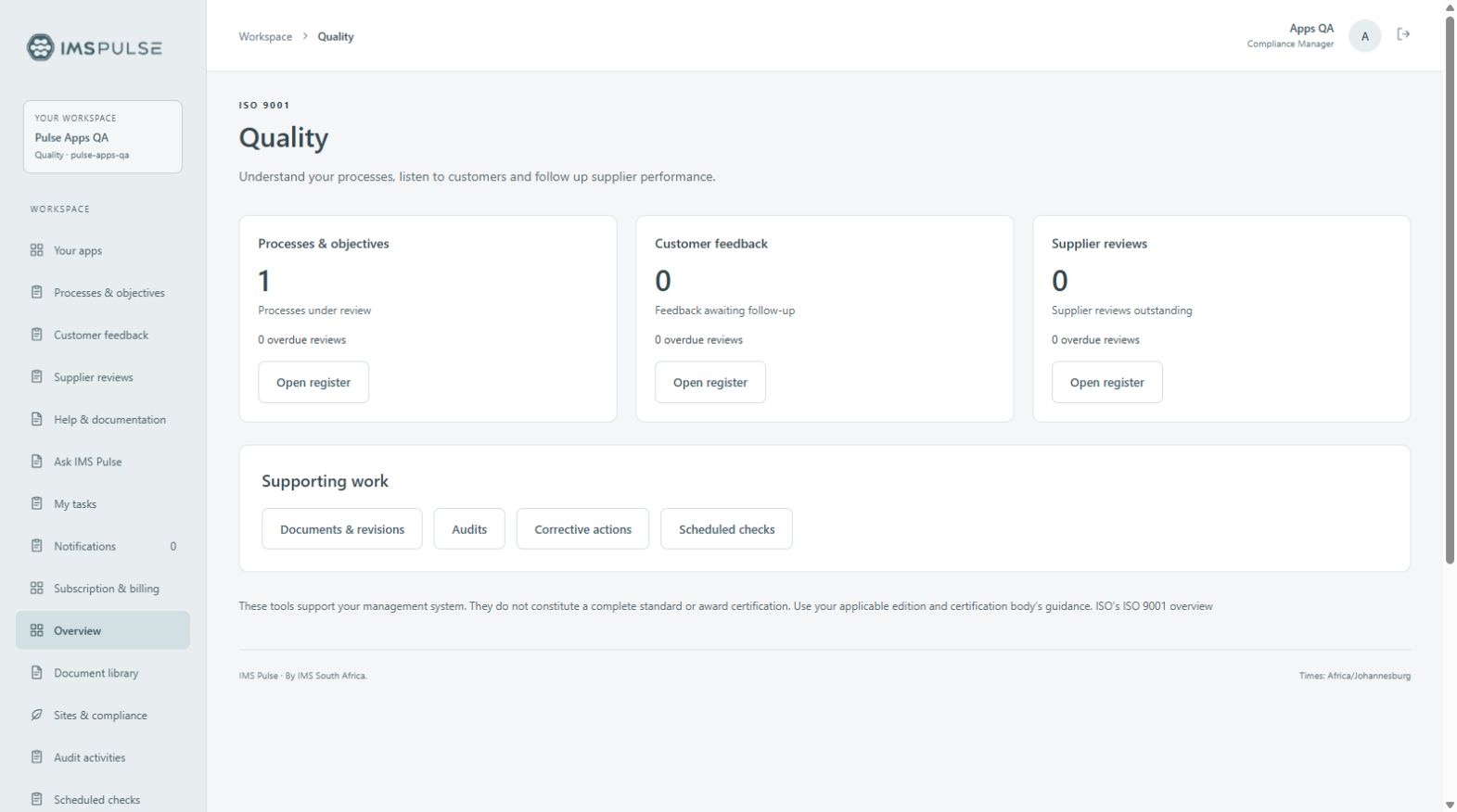
Collaborate in Word and Excel, preserve saved revisions and keep access under control.
Start your workspace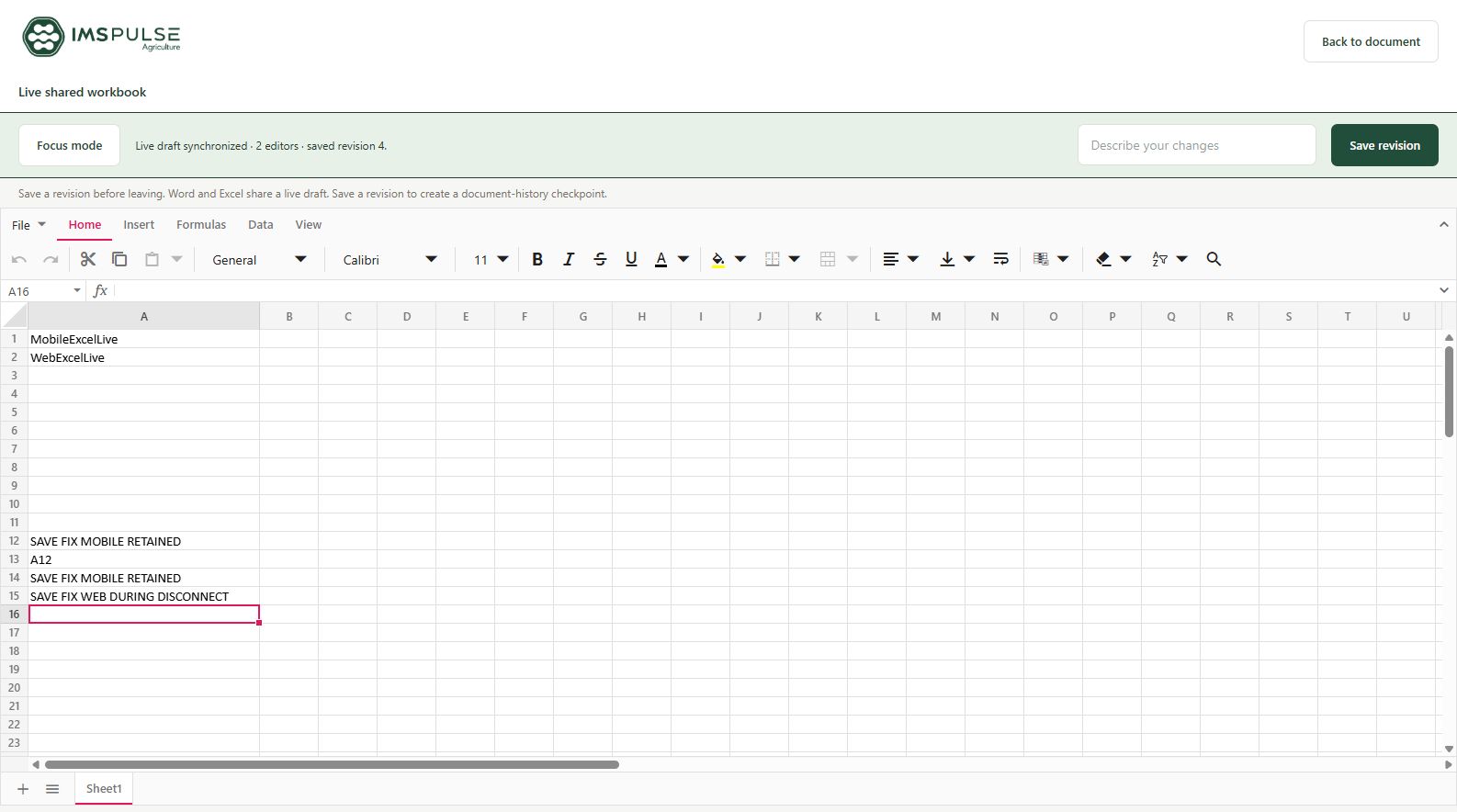
Ask about permitted workspace records and saved documents, with linked sources and reviewed draft creation.
Start your workspace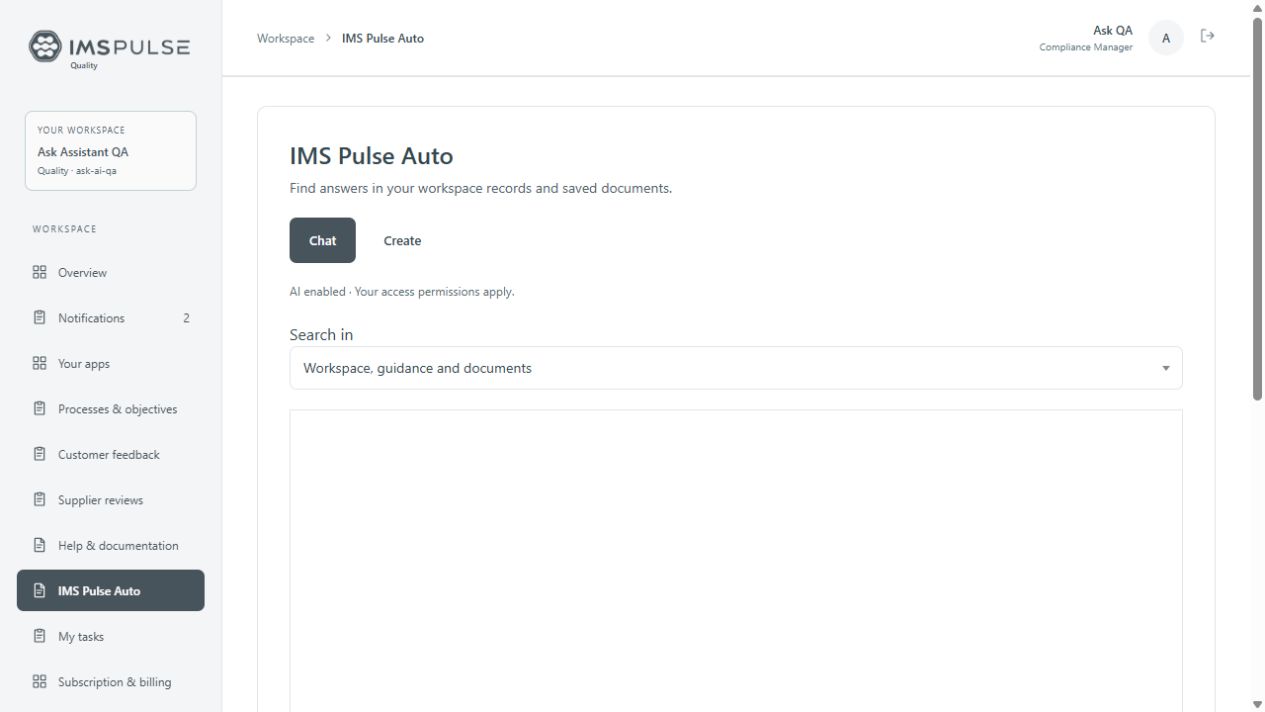
Working with documents
Editing a file is only part of the job. Keep the saved version, review and activity alongside it.
Support varies by format. Advanced Office features may need review; this is not a full Microsoft Office replacement.
From a check to a completed action
Record what happened, assign someone to deal with it and check the result.
Capture the checkpoint, actual observation and result, with site context where needed.
A failed audit opens CAPA. Set the owner, severity and due date.
Record the root cause and corrective action, with supporting evidence.
A different permitted user checks effectiveness before the case is closed.
At the office and on site
Use the web application to manage the workspace. Use the mobile app to access the same records, or download supported documents before working without a connection.
Try the mobile and web workspaceUse the same workspace and account. Online Word and Excel live editors share a draft; workspace screens refresh as updates arrive.
Download supported documents and load the screens you need. Save device work, then reconnect and check synchronization status.
Compare mobile and web versions, create a combined review copy and publish it after checking the result. Conflicts need human review.
For the people doing the work
For the manager overseeing the operation, the team recording daily work and the people preparing evidence for review.
Before you sign up
IMS South Africa is the company behind the offering. IMS Pulse is offered under IMS South Africa, with separate apps for Quality, Health & Safety, Environment and Agriculture. The company’s work covers quality, safety and environmental management tools and preparation for certification.
IMS South Africa’s company services focus on quality, safety and environmental standards, rather than food-standard consulting. IMS Pulse Agriculture provides tools for agricultural records and workflows; using them is separate from certification services.
Yes. Online Word and Excel editors share a live draft across web and mobile sessions. Saving a revision creates a preserved history entry. Other formats should not be assumed to support simultaneous co-authoring.
The mobile companion supports downloaded documents, cached screens and selected queued actions. Live collaboration pauses offline. Reconnect, check pending work and review conflicting versions before publishing. Not every tool works offline.
Word, Excel and PDF editing are included in paid plans. Basic PowerPoint, diagram and project features require an eligible plan. The pricing page lists current features, team limits and storage allowances.
IMS Pulse Auto is available on active Professional and Enterprise plans. It searches permitted saved document content and provides linked sources. When the platform administrator enables AI answers, it can generate source-based answers. AI assistance requires a connection and human review.
30-day trials start without a card. A workspace administrator reviews recurring terms and continues to PayFast when choosing a paid plan. Subscription access activates only after verified payment.
No. IMS South Africa helps companies prepare for certification. An application subscription does not award a certificate or replace an assessment by a certification body.
Try the application
Create a workspace, add a few of your own records and try it with your team.
Subscriptions are priced in ZAR. PayFast confirms available payment currencies and the final total at checkout.